
Starting a Blog teaches the beginner blogger or anyone who needs a Blogging 101 refresher course how to decide if blogging is right for them as well as how to choose a domain, host and blogging software. You'll also find step-by-step tutorials to help you get started as a successful blogger.
Follow this step-by-step tutorial to learn how to start a free blog in Blogger.
Step 1: Sign Up to Create a Blog at Blogger.com

Visit the Blogger.com home page and select the "Create Your Blog Now" button to begin the process to start your new Blogger.com blog.
Step 2: Create a Google Account

If you don't already have a Google account, you'll need to create one by completing the form on this page.
Step 3: Sign In with Your Google Account

If you already have a Google account, you can bypass the "Create Google Account" step and simply sign in with your existing Google account username and password.
Step 4: Name Your New Blog

Enter the blog name and corresponding domain name (to precede '.blogspot.com') in the spaces provided.
Step 5: Choose a Template

Select a standard template for your new blog.
Step 6: Congratulations - Your New Blog is Active!
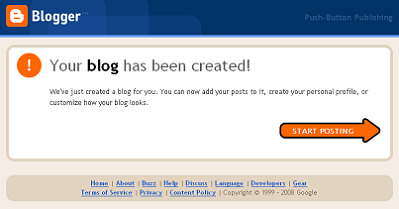
Your blog is now live and ready for you to start writing content.
Step 7: Write Your First Post

That's all there is to it! You're now ready to write your first blog post in your new Blogger.com blog and join the blogosphere.




